


Dallas homeowners pick a landscaper in about the time it takes to sip coffee. They check the star rating, scan the most recent review date, and call whoever looks the busiest.
A profile with ten reviews from 2023 loses that call. BrightLocal’s 2026 survey found that 97% of consumers read local reviews, and 31% only use businesses rated 4.5 stars or higher.
This guide on how to get more Google reviews for a landscaping business shows you how to ask at the right moment, keep it quick, and follow Google’s rules.
Why Google Reviews Matter for Dallas Landscaping Companies
Reviews do more than build pride. They shape where you rank, who gets the call, and how AI tools describe your company to homeowners across Dallas.
Reviews Influence Map Pack Rankings
Google says local rankings rest on relevance, distance, and prominence, and review count and score feed prominence. Fresh reviews also show that crews are currently working.
At Dallas Landscaping SEO, we build a review velocity system into every Google Business Profile plan because steady growth looks healthier than a single burst of reviews.
Reviews Decide Who Homeowners Call
Star rating and recency work as a quick trust test. A Plano homeowner planning a backyard redesign sees five landscapers on Google Maps and taps the freshest praise.
Reviews Feed AI Search Recommendations
BrightLocal’s survey ranks AI search tools as the third-most-used recommendation source, behind Google and Facebook. Detailed public reviews give ChatGPT and Perplexity more material when they describe your business.
Set Up Your Google Business Profile Before You Ask
A review request works best when the page behind it looks complete. Spend one afternoon on the basics before you send a single link to a customer.
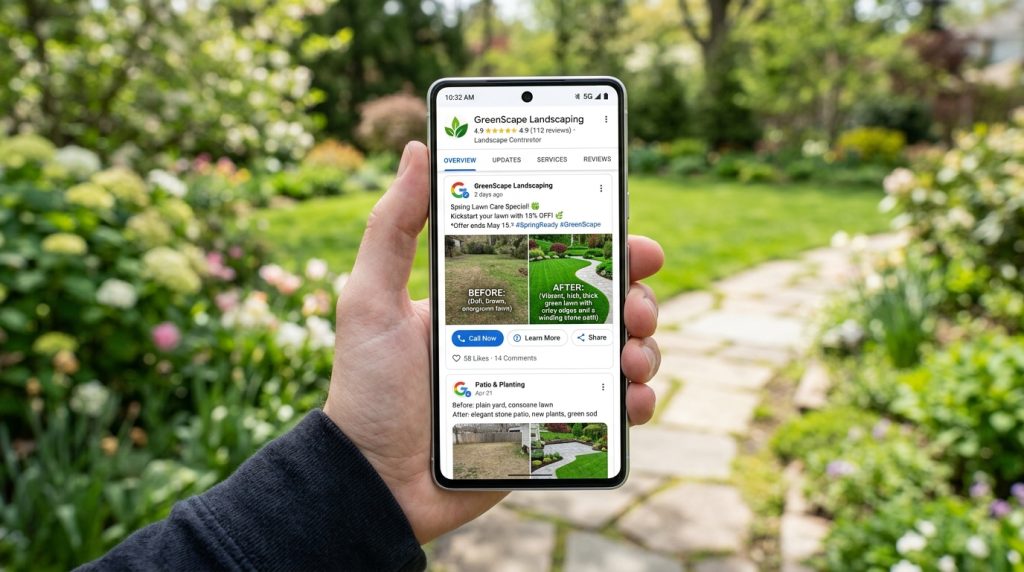
Claim and Complete Your Profile
Verify ownership and choose Landscaper as your primary category. Strong Google Business Profile optimization gives new reviews a complete page to land on. Then add:
- Services such as lawn care, sod installation, irrigation, and hardscaping
- Photos of finished projects
- Service areas such as Plano, Frisco, and McKinney
Create a Direct Review Link and QR Code
A direct link removes every extra tap between a happy customer and the review box. Build it once, test it twice, and reuse it everywhere.
- Open your Business Profile and select the option to ask for reviews.
- Copy the share link and shorten it.
- Turn it into a QR code with a free generator.
- Test the code on an iPhone and an Android phone, because a broken link wastes goodwill.
When to Ask for a Google Review
Timing changes everything. Ask while the work is fresh in the customer’s mind, and use North Texas weather as a natural reason to reach out.
Ask on the Day the Job Wraps
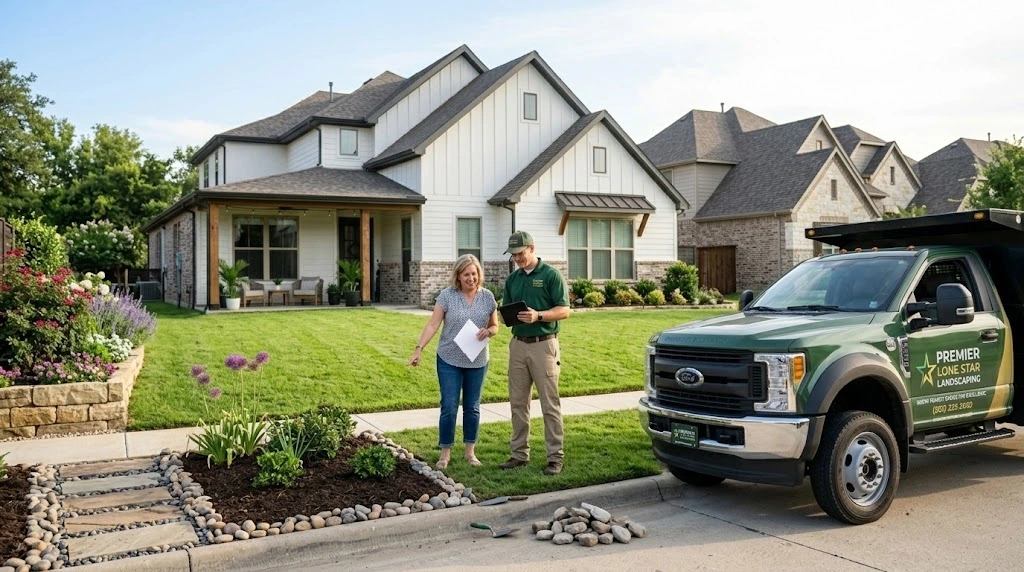
Customers feel happiest after the final walkthrough, when the sod looks green and the beds smell of fresh mulch. Ask within hours, since waiting a week turns a warm memory into a chore.
Use Dallas Seasons as Your Calendar
North Texas weather hands you natural moments to ask for reviews. Match each request to the season and to the job your crew just finished:
- Spring: planting and sod installation
- Summer: irrigation repairs during heat waves
- Fall: leaf cleanup and overseeding
- After freezes and hailstorms: plant replacement and repairs
How to Get More Google Reviews for a Landscaping Business in Dallas: 5 Methods
Pick one method to start, then layer on the rest. Each option fits a different customer, from busy homeowners to HOA managers and commercial property clients.
1. Crew Leads Ask in Person
Teach crew leads one line: “A Google review helps us a lot. I’ll text you the link.” Customers then respond on their own time, away from the truck.
2. Text and Email Requests
Short messages win. Try: “Hi Maria, thanks for choosing us in Frisco. Here is a link to share how it went: [link].” Get consent before texting and include opt-out instructions.
3. QR Codes on Invoices and Door Hangers
Print the code on invoices and door hangers so customers can scan it as soon as they read them. A leave-behind card also works well with HOA managers and commercial clients.
4. Automated Requests Through Job Software
Tools such as Jobber and Housecall Pro can send a request the moment you mark a job complete, so no customer slips through the cracks. Look for these features:
- An automatic text or email when a job closes
- Your review link built into the template
5. Bilingual Requests for Dallas Homeowners
Many Dallas households speak Spanish, so send both versions of your request: “¿Cómo le fue con nuestro servicio? Su reseña en Google nos ayuda mucho.”
What to Tell Customers About Writing Their Review
Keep the invitation open: “Tell us how it went.” Customers who write in their own words mention sod, irrigation, or their neighborhood naturally, and those details read as real.
They also tie your business to areas such as McKinney, Allen, and Garland. Skip scripts and keyword requests. Nobody writes a heartfelt ode to mulch on command.
Google Review Rules Dallas Landscapers Must Follow
Google lets you ask for reviews, but it sets firm limits on how you can do so. Break them, and you risk losing the reviews you worked hard to earn.
No Incentives and No Review Gating
Google bans paying for reviews and review gating, which means asking only happy customers or steering unhappy ones to a private form. Follow these rules:
- Never offer discounts, gift cards, or freebies
- Send the same request to every customer
Fake Reviews Carry Real Penalties
Google may turn off new reviews, unpublish existing ones, or show a warning on profiles tied to fake reviews. The FTC’s 2024 rule adds federal penalties, so staff and family should skip reviewing your company.
How to Respond to Google Reviews
Every reply is a public message to your next customer. Answer quickly, stay specific, and keep your tone calm and friendly, even when a review stings.
Thank Positive Reviewers by Name
Mention the job: “Thanks, David, glad the new irrigation zones are running well in Lakewood.” Fresh wording each time beats copy-paste replies, and it lets you mention services and cities naturally.
Handle Negative Reviews Calmly
Reply within two days. Acknowledge the problem, offer a fix, and move details offline. Our guide to handling negative reviews goes deeper on each step.
Try this reply: “Thanks for telling us, Mark. We are sorry the edging was uneven. Please call our office so we can fix it this week.”
How Many Reviews Do You Need to Outrank Competitors?
No magic number exists. Your target depends on the competitors who show up when homeowners search, so measure them first and set a pace you can keep.
Benchmark Against the Top Three
Search “landscaper Dallas” in Google Maps. Note the review count, rating, and newest review date for the top three results. Aim to match their pace and hold a 4.5-star average.
Track Your Request-to-Review Rate
Log how many requests you send and how many become reviews. A low rate usually means the message is too long or the timing is late. Our local SEO checklist shows where reviews fit.
Common Mistakes That Stall Review Growth
Most review problems come from habits, not bad service. Watch for these four slip-ups, because each one quietly slows your review growth over time and costs you jobs:
- Asking only after perfect jobs
- Pushing hard for a week, then going quiet
- Forgetting HOA and commercial clients
- Sending a broken review link
Ready to Win More Dallas Jobs?
Dallas Landscaping SEO offers a free growth audit covering your Google Business Profile, current rankings, and competitor gaps, plus a 90-day roadmap for your service area.
Pair your new review routine with a profile built to rank, and let us handle the heavy lifting. Claim your audit today.
Conclusion
Reviews grow when you build a routine. Create your link, ask after every job, follow Google’s rules, and reply to every review.
Keep that rhythm, and your Google reviews for landscapers will keep climbing.
Frequently Asked Questions
Here are quick answers to the questions Dallas landscapers ask most about earning, protecting, and answering Google reviews for their business each season.
How do I get more Google reviews for my landscaping business?
Share a direct review link right after each job through text, QR code, or invoice. Ask every customer the same way, and reply to each review.
How many Google reviews does a landscaping company need?
No fixed number exists. Match the review count and recent pace of the top three Map Pack competitors in your area, with a 4.5-star average.
Can I pay customers for Google reviews?
No. Google prohibits discounts, gift cards, and freebies in exchange for reviews, and violations can result in review removals or restrictions on your Business Profile.
Why do my Google reviews keep disappearing?
Spam filters remove reviews that contain links, duplicate text, or come from flagged accounts. Check your count weekly and log your requests so you can spot drops early.