


It is July in Dallas. A homeowner’s St. Augustine lawn has turned brown, and a phone search for “sod installation near me” shows three businesses on the map. The top profile gets the call. The rest wait by the phone.
Most crews lose that call with a half-empty profile. A complete profile gives Google every reason to show you first. Google Business Profile optimization for landscapers in Dallas, TX means choosing the right categories, setting your service area, earning reviews, and linking everything to your website.
This guide covers every step, from setup to tracking.
What You Will Learn
- How Google picks the three businesses in the Local Pack
- How to claim, hide your address, and verify
- Which categories, services, hours, and service areas fit Dallas landscapers
- How to use photos, posts, and reviews
- How to track results and avoid suspension
How Google Picks Landscapers for the Dallas Local Pack
Every lawn search starts a quick contest between nearby crews. Google says local results rely mainly on relevance, distance, and prominence, and each one gives you a job to do.
Relevance: Categories, Services and Search Intent
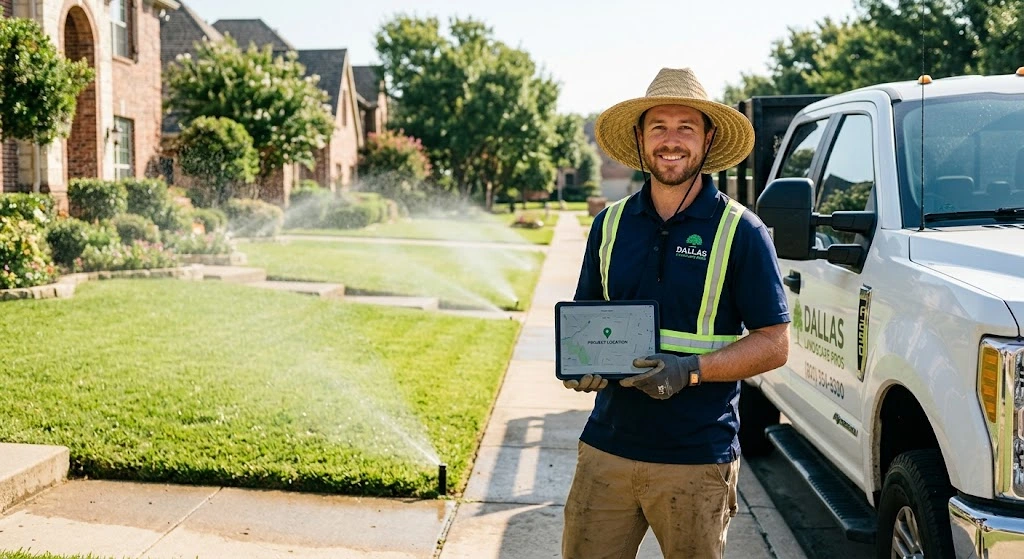
A profile listed only as “Landscaper” can miss a search for “irrigation repair Dallas.” Relevance grows when your categories, services, and description name the jobs you really do.
Proximity: How Far Your Service Area Reaches
Distance compares the searcher’s location with yours. A Frisco homeowner sees Frisco crews first. Service areas tell Google where you work.
Prominence: Reviews, Citations and Website Signals
Google names review count, star rating, and links from other sites as prominence inputs. A crew with steady recent reviews and a clear website beats a silent profile.
Set Up and Verify Your Landscaping Google Business Profile
A clean setup prevents most problems later. The three steps below take about an afternoon.
Claim Your Profile and Remove Duplicate Listings
Search your business name on Google Maps first. Google sometimes builds a listing from public data, so claim it instead of creating a new one. If someone else already verified it, Google lets you request ownership from the current owner.
Then search old names, old phone numbers, and old addresses. A duplicate under your old company name can hold half your reviews. Report extra listings to Google.
Set Up as a Service-Area Business and Hide Your Home Address
Most landscapers drive to the customer. Google says to remove your address if you do not serve customers there. Pick service areas instead.
Google does not allow a radius around your business. You choose cities or postal codes instead, up to 20. Your home address stays private, and your profile can still appear for nearby searches.
Get Verified Without Delays
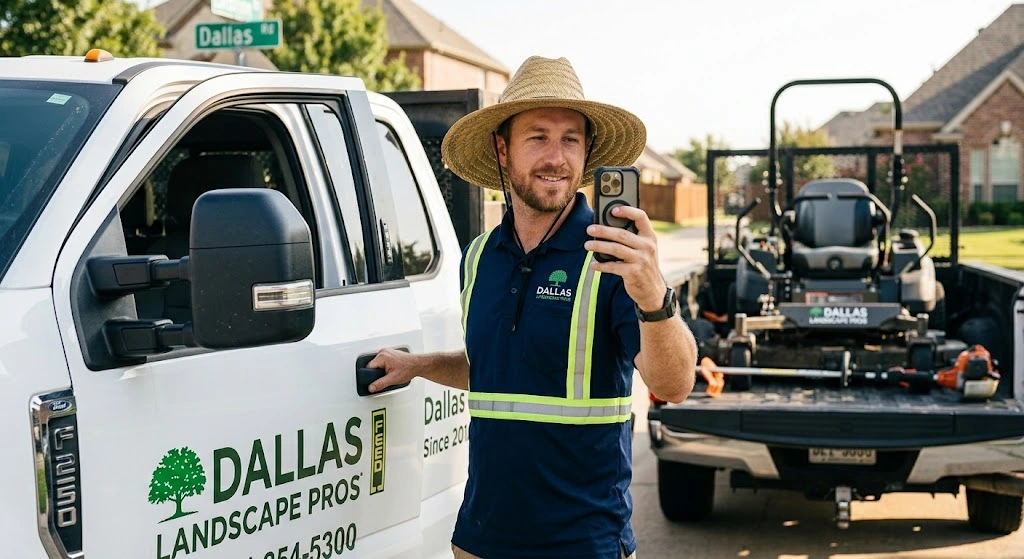
Google may ask for a postcard, a phone code, or a video. For video, record one continuous take. Show your truck with its logo, your mowers and tools, and the place you work.
Use the same business name everywhere. Keep your truck photo and logo ready before you start.
How to Optimize Google Business Profile for Landscapers in Dallas, TX
This is where rankings are won. Each step below adds one signal Google can read, so work through them in order.
Pick the Right Primary and Secondary Categories
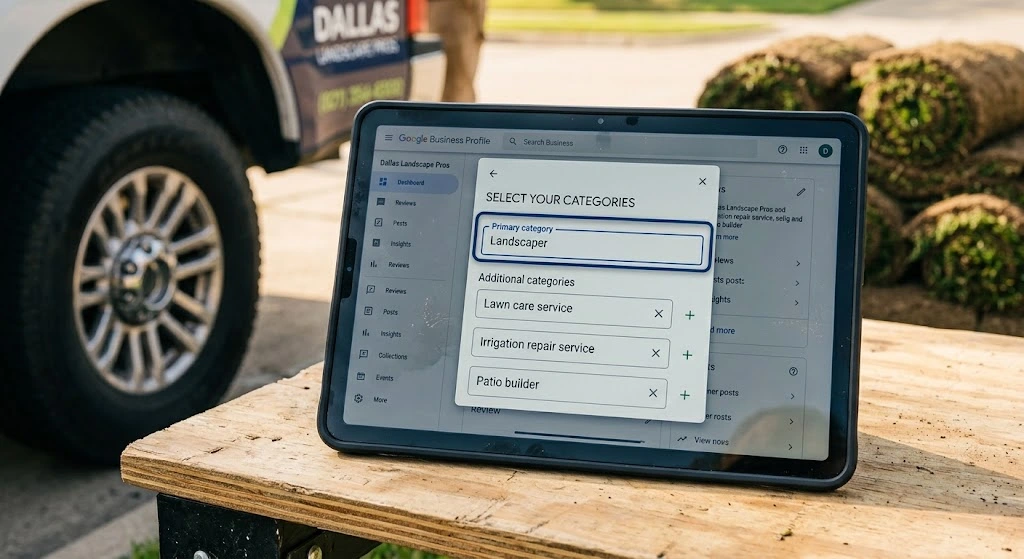
Choose the primary category that matches your biggest source of revenue. A crew that mostly installs sod and patios fits the landscaper role. Mowing-first crews fit Lawn Care Service.
Add secondary categories only for work you really do, such as irrigation or hardscaping. Confirm exact names inside your dashboard, since Google updates the list.
Use Your Real Business Name, Not Keywords
Use the name on your truck and invoices. A name like “Example Lawn Co | Best Sod Dallas” invites a suspension. Google has no sense of humor about keyword stuffing.
Write a 750-Character Description That Sounds Local
Google allows 750 characters. Say who you are, what you do, and where you work. Here is a template to adapt with your own facts:
“Locally owned lawn and landscape crew serving Dallas, Richardson, and Plano. We install St. Augustine, Bermuda, and Zoysia sod, repair sprinklers, and build patios on North Texas clay soil. Call for a free estimate.”
Set Real Hours and Add Attributes
Enter the hours you answer the phone, not the hours you wish you did. A crew on a job site at 2 p.m. should not list 2 p.m. as open. Update holiday hours before each holiday.
Then scan the list of attributes in your dashboard and tick only those that apply.
List Every Landscaping Service With Its Own Description
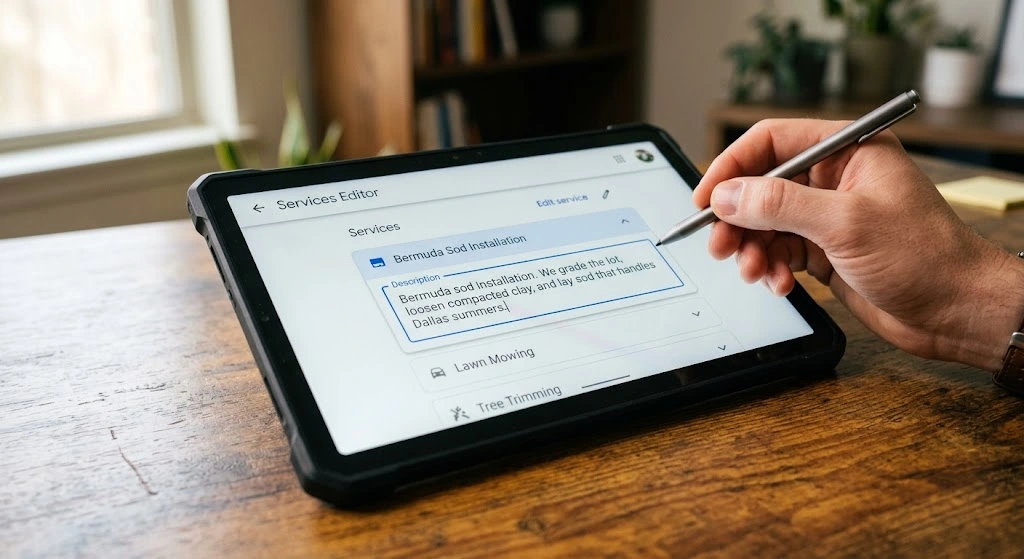
Each service entry gives Google one more search to match you to. Add one entry for each job you sell: sod installation, aeration, overseeding, sprinkler repair, patios, and landscape design.
Give each entry one or two local sentences. For example: “Bermuda sod installation. We grade the lot, loosen compacted clay, and lay sod that handles Dallas summers.”
Add Dallas Cities and ZIP Codes to Your Service Area
Google lets you add up to 20 areas and suggests staying within about 2 hours’ drive of your base. Start where your jobs already are: Plano, Frisco, Richardson, Garland, Irving, Addison, University Park, and Highland Park.
Add ZIP codes for neighborhoods you visit often. Edits can take up to 48 hours to appear. Name neighborhoods, such as Preston Hollow, in photo captions.
Upload Original Job-Site Photos and Short Videos
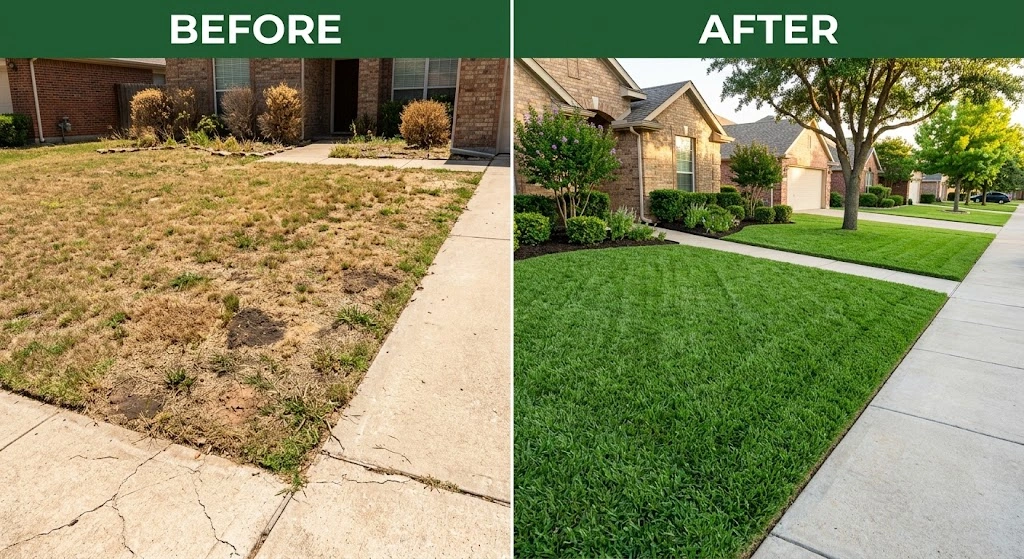
Upload your own pictures: before-and-after lawns, crews at work, trucks with logos, and finished patios. A Dallas homeowner wants to see a yard from their own area.
Add new shots after each job. A clip of sprinklers running in a Frisco yard beats a photo from 2019.
Post Seasonal Updates Dallas Homeowners Search For
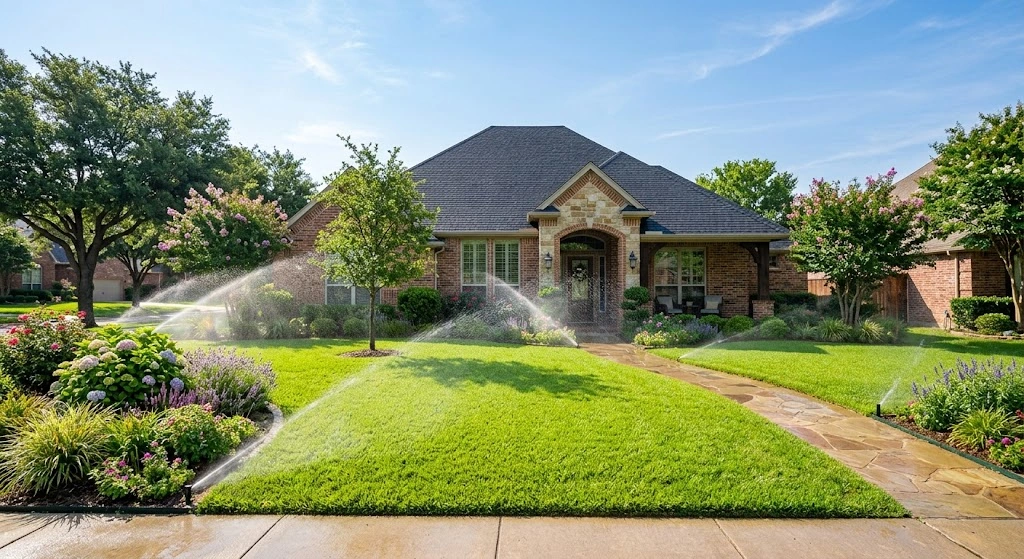
Posts show up on Search and Maps. Tie each one to a real service page on your site.
Dallas bans sprinkler watering from 10 a.m. to 6 p.m. year-round, per the city’s 2026 update. A post reminding homeowners to set timers for early morning earns trust fast. Check the city’s page before you quote any rule.
Season | Post idea |
Spring | Sod installation and sprinkler start-up checks |
Summer | Heat-stress lawn care and irrigation tune-ups |
Fall | Overseeding, leaf cleanup, and planting beds |
Winter | Freeze prep for sprinklers and tender plants |
Ask for Google Reviews After Every Job, Without Incentives
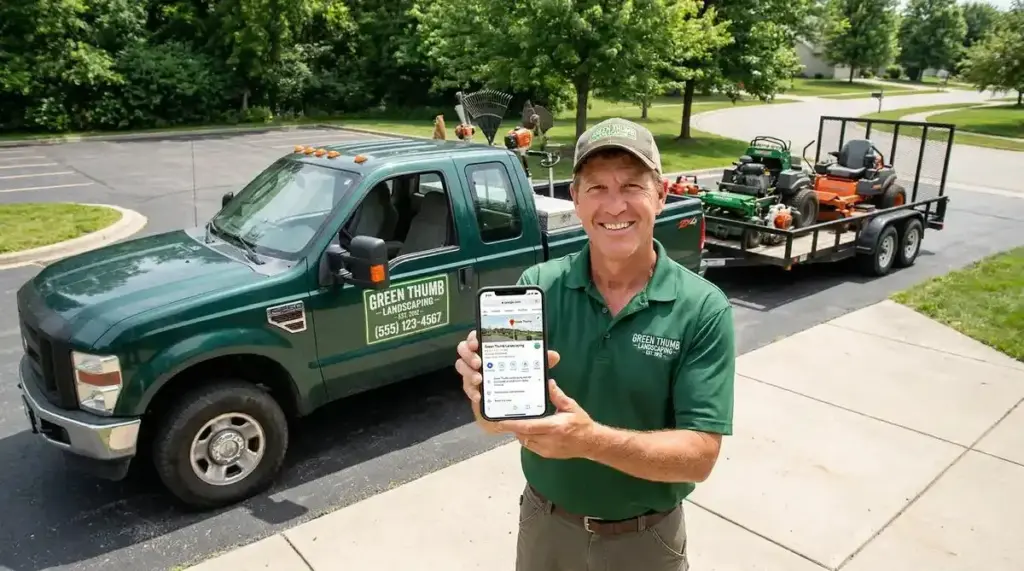
Ask when the homeowner is admiring the finished yard. Text them your review link with a short note, like: “Thanks for choosing us, Maria! If you liked your new sod, a quick Google review helps neighbors find us.”
Google prohibits free or discounted services in exchange for reviews, so skip the free mulch offer. Our guide on how to get more Google reviews has timing and wording tips.
Reply to Reviews With Service and Neighborhood Keywords
Reply to every review in your own voice. “Thanks, Maria! Glad the new Bermuda sod in Lakewood is filling in nicely.” That one line names the service and the area without stuffing anything.
Handle Negative and Fake Reviews
Stay calm and thank the reviewer. Offer to fix the problem by phone. Readers judge you by the reply. Here is how to respond to negative reviews step by step.
Flag fake reviews to Google instead of arguing with them.
Connect Your Profile to Dallas Location Pages and LocalBusiness Schema
Link your profile to a real service page for each major area. Each page needs its own project photos and details, since pages that only swap a city name add little.
Our local SEO checklist shows how to build those pages. Add the LocalBusiness schema so Google can verify your name, phone number, and service areas.
Build Citations on Yelp, Bing Places, BBB, Angi and Nextdoor
Citations repeat your name, address, and phone number (NAP) on other sites. Match your profile exactly, down to a stray “Suite B”. Recheck twice a year for old numbers.
How to Track Your Google Business Profile Performance
Open the Performance section monthly. Look at calls, direction requests, website clicks, and the searches that found you.
Tag your website link with UTM codes, such as utm_source=google&utm_medium=organic&utm_campaign=gbp. Your analytics tool can then separate profile visits from other traffic. A geo-grid rank tracker maps your rank across Dallas, so you can spot neighborhoods where competitors beat you.
Mistakes That Get Landscaping Profiles Suspended
Google does not accept virtual offices or PO boxes as addresses. Keyword-stuffed names and categories for services you do not offer also cause trouble. Changes to your name, address, or category may prompt a new check, so edit them rarely.
If Google suspends you, fix the problem and file a reinstatement request. You can appeal only once, and Google says not to create a new profile.
Get Your Dallas Landscaping Business Ranked on Google Maps
At Dallas Landscaping SEO, our free GBP audit starts with your profile, then reviews rankings, technical health, and competitor gaps, and ends with a 90-day roadmap.
We work with one landscaper per service area, so your competitor across town cannot hire us.
Conclusion
Google Business Profile optimization for landscapers in Dallas, TX comes down to four habits. Choose the right category, set a clear service area, collect honest reviews, and connect your profile to a useful website.
Each habit tells Google something true about your crew. Together they build the trust that puts you in front of a homeowner with a brown lawn in July.
No one can promise a #1 spot, and Google says you cannot pay for one. Steady work still moves profiles up.
Start with your categories and service areas today. Add one new photo after every job, and ask each happy customer for a review. Check your Performance numbers next month and keep what works.
FAQs
How do I rank my landscaping business on Google Maps in Dallas?
Complete every profile field, pick accurate categories, and set clear service areas. Then earn fresh reviews and keep your details consistent across the web. Google says no one can pay for a better local ranking.
What is the best Google Business Profile category for a landscaping company?
Pick landscaper if you run full-service jobs, or Lawn Care Service if mowing leads your revenue. Then add secondary categories for your other services.
Can I hide my home address on my Google Business Profile?
Yes. Google says to remove your address if you do not serve customers there. Add cities or ZIP codes as your service area instead.
How many Google reviews do landscapers need to rank in the Local Pack?
Google sets no required number. Compare your count and recency to those of the top three local competitors, then keep new reviews coming.
How long does Google Business Profile verification take?
Timing varies by method. Check your profile for its status and follow the prompts. Google may offer video verification for service-area businesses.